Clivy Changelog

clivy-one.vercel.app/
v13.0

Landing Page

INFRASTRUCTURENEW
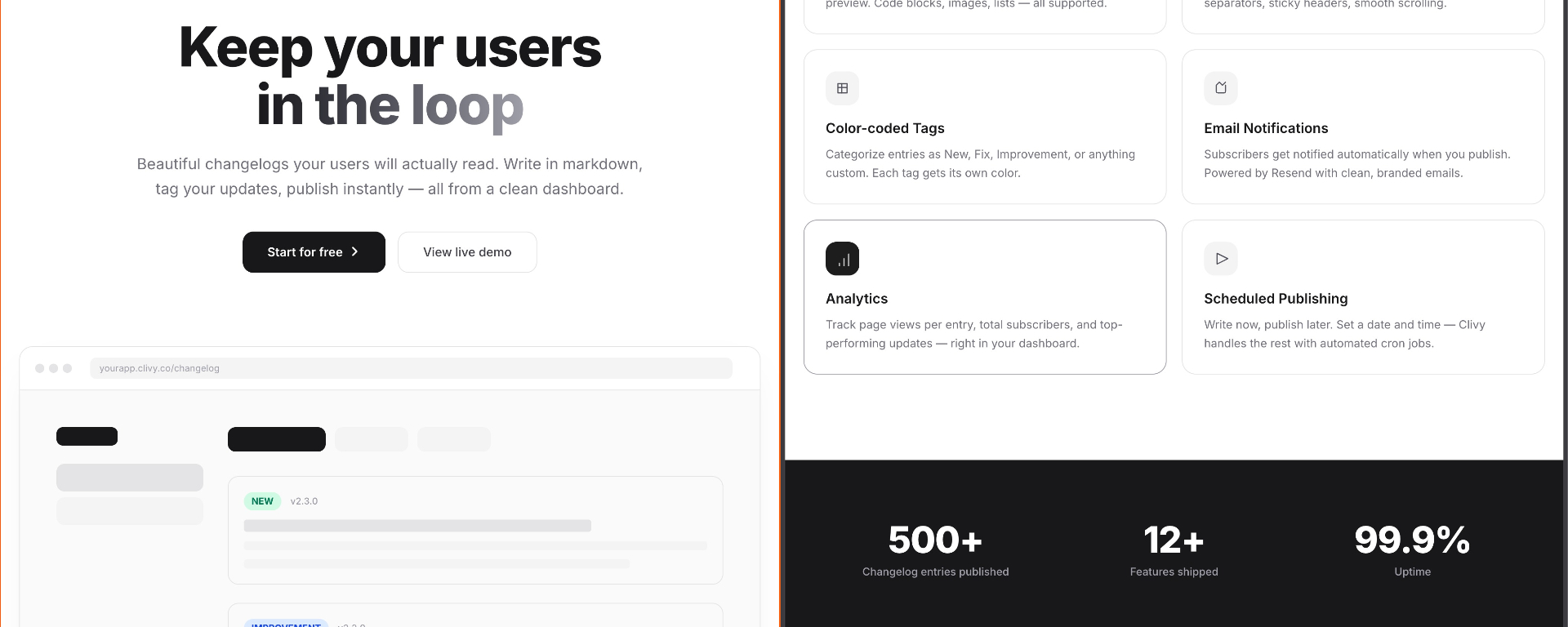
Landing Page header

Clivy now has a proper marketing page at the root URL.

What's included

  • Hero section with animated entrance and gradient headline
  • Interactive product mockup showing a fake dashboard with sidebar and entry cards
  • "How it works" — three numbered steps: Create → Write → Publish
  • Feature grid covering all six core features
  • Animated stats counter triggered on scroll
  • "Also included" section for secondary features (RSS, reactions, header images, etc.)
  • Tech stack strip and final call-to-action
  • Responsive design with full dark mode support

The page uses IntersectionObserver for scroll-triggered reveal animations and a custom useCountUp hook for the stats section. All transitions use cubic-bezier(.22,1,.36,1) easing.

v12.0

Email Notifications

NEW

Subscribers now receive automatic email notifications when you publish a new entry.

How it works

  • When an entry status changes to published, all active email subscribers for that project receive a notification
  • Emails are sent via Resend with a clean, branded HTML template
  • Each email includes the project name, entry title, version badge, a markdown snippet, and a direct link to the full changelog
  • Emails are sent in batches of 100 to respect API limits
  • A emailNotificationSent flag on each entry prevents duplicate sends

Guard rails

  • Only fires for entries transitioning to published (not re-saves of already-published entries)
  • Scheduled entries trigger notifications when the cron job publishes them
  • If sending fails, the flag stays false so it can be retried
v11.0

Complete UI Redesign

IMPROVEMENT
Complete UI Redesign header

Every screen in Clivy has been redesigned from scratch. The dashboard and public changelog pages now follow a cohesive design language inspired by Loom, Vercel, and Headway.

Dashboard

  • Persistent sidebar with logo, navigation (Projects / Settings), and user section at the bottom
  • Project cards with entry count, subscriber count, and view stats
  • Sort projects by last modified, newest, or oldest
  • Tabbed project detail view: Entries (table), Subscribers (table), Analytics (bar chart)
  • Framer Motion animations on every tab transition and table row

Public Changelog

  • Timeline layout with a vertical line, date separators, and version badges
  • Sticky entry headers that attach to the top of the viewport on scroll — with a shadow that fades in when stuck
  • Responsive: 3-column grid on desktop (date | timeline | content), stacked on mobile
  • Pagination with "Show more" button (5 entries initially, +5 per click)
  • Lenis smooth scrolling + scroll-to-top button

Navigation

  • Changelog pages now have their own navbar with a hamburger dropdown
  • Links to Home, Dashboard (if signed in), or Sign up / Log in (if signed out)
  • Sign-out option with toast confirmation

Other design touches

  • Project settings page accessible per-project
  • Website URL field on projects — displayed as a clickable link on the public changelog header
  • Animated card entrances throughout the dashboard
v10.0

Deployed to Vercel

INFRASTRUCTURE

Clivy is now live on Vercel.

What it took

Getting Prisma 7 to work with Next.js 16 on Vercel's Turbopack required a few specific fixes:

  • Switched from prisma-client to the prisma-client-js generator for Turbopack compatibility
  • Added postinstall script (npx prisma generate) to package.json so the Prisma client generates during Vercel's build step
  • Configured serverExternalPackages: ["@prisma/client", "pg"] in next.config.ts
  • Adjusted the cron schedule from every 5 minutes to once daily (0 0 * * *) to stay within Vercel's free tier limits

The app is deployed with automatic deploys from the main branch.

v9.0

Settings Page

INFRASTRUCTURE
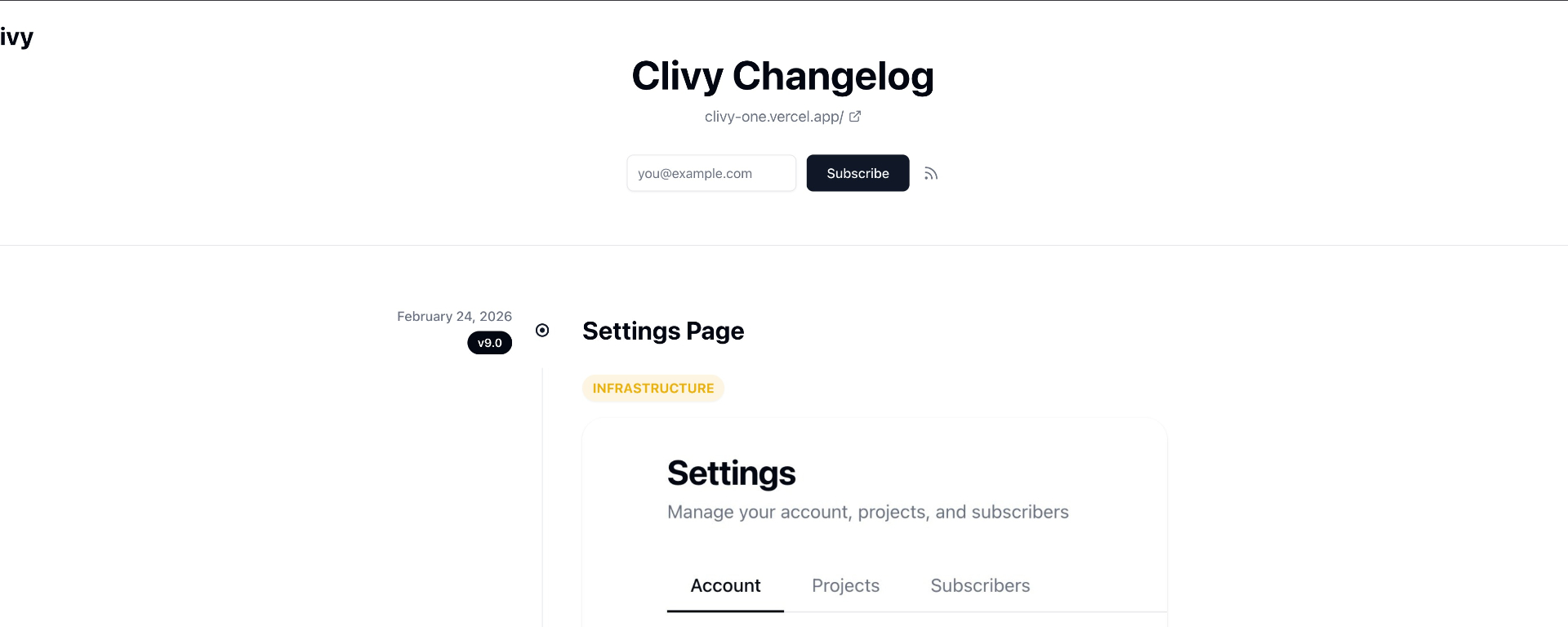
Settings Page header

A unified settings page is now available from the dashboard sidebar.

Three tabs

  • Account — Update your name and email, change your password, or permanently delete your account (with a typed "DELETE" confirmation)
  • Projects — View all projects in a table with inline editing for name, slug, and website URL. Delete projects directly from here
  • Subscribers — Select a project from a dropdown to view its subscriber list. Remove individual subscribers with one click

How it connects

  • The Projects tab in Settings and the per-project Settings page both edit the same data via the same API routes
  • The ?tab= query parameter lets other parts of the app deep-link to a specific settings tab (e.g., "Project Settings" button in the project detail view links to ?tab=projects)